Mac menu bar app · macOS 13+
Loud keys. Quiet calls.
Tapit plays a mechanical keyboard sound for every key you press, in any app. The moment your microphone turns on, it goes quiet. When the call ends, it comes back.
Free with two sound packs. Pro is $4.99, once.
Animated demo. Someone types and each key makes a sound. A call starts: Tapit shows an orange "On a call" band and the sound stops while the typing carries on. The call ends and the sound comes back.
Key to sound
4.3 to 5.7 milliseconds from key press to sound. Measured over about 300 key presses on a MacBook Air M2 with its built-in speakers.
Try it
Type something.
- Keys
- 0
- Speed
- – WPM
- Level
- – dB
Sound starts on your first key press. Nothing you type here is stored or sent: the page only notices that a key went down, the same as the app.
You are hearing Tactile, one of the two free packs. A browser adds a little delay that the app doesn't have.
What it does
One job, done properly.
Auto-mute
Tapit goes quiet whenever your microphone is in use, in any call app, and comes back when the call ends. Nothing to remember before you join.
- Every hit is different
- Each key press varies slightly in pitch and volume, so it never sounds like one clip on repeat.
- Space, enter, backspace
- They get their own sounds, the way the big keys on a real board do. Keys also click on the way back up.
- Its own volume
- Separate from your Mac's, so music and calls stay where they are.
- Mute shortcut
- One global shortcut turns the sound on or off from any app.
- Menu bar only
- It lives in the menu bar. No Dock icon, no window to manage.
- Light and dark
- Follows your Mac, or pick one.
- Dynamic sound PRO
- Keys get louder as you type faster, and ease off when you slow down.
Private by design
It hears that you typed. Never what.
- Tapit only notices that a key went down, so it can pick a sound.
- It never stores, logs or sends what you type.
- No account and no tracking. Everything stays on your Mac.
About the permission
macOS calls it Input Monitoring. Any app that reacts to key presses in other apps needs it. Tapit uses it to trigger a sound and for nothing else.
About your microphone
Tapit never opens the mic. It asks macOS whether the mic is in use, which is how it knows a call has started.
Pricing
Free to use. $4.99 once for more.
Free
- Two sound packs: Soft Thock and Tactile
- Auto-mute on calls
- Separate sounds for space, enter and backspace, plus key-up sounds
- Its own volume, the mute shortcut, light and dark
Not out yet. Email me when it is.
Pro
- Everything in Free
- The other sound packs. The line-up is still being chosen.
- Dynamic sound: keys get louder as you type faster
- One payment. No subscription.
The store isn't open yet, so Pro can't be bought. When it opens, payment is handled by Lemon Squeezy and you can ask for a refund within 14 days.
What it looks like
Straight from the app.
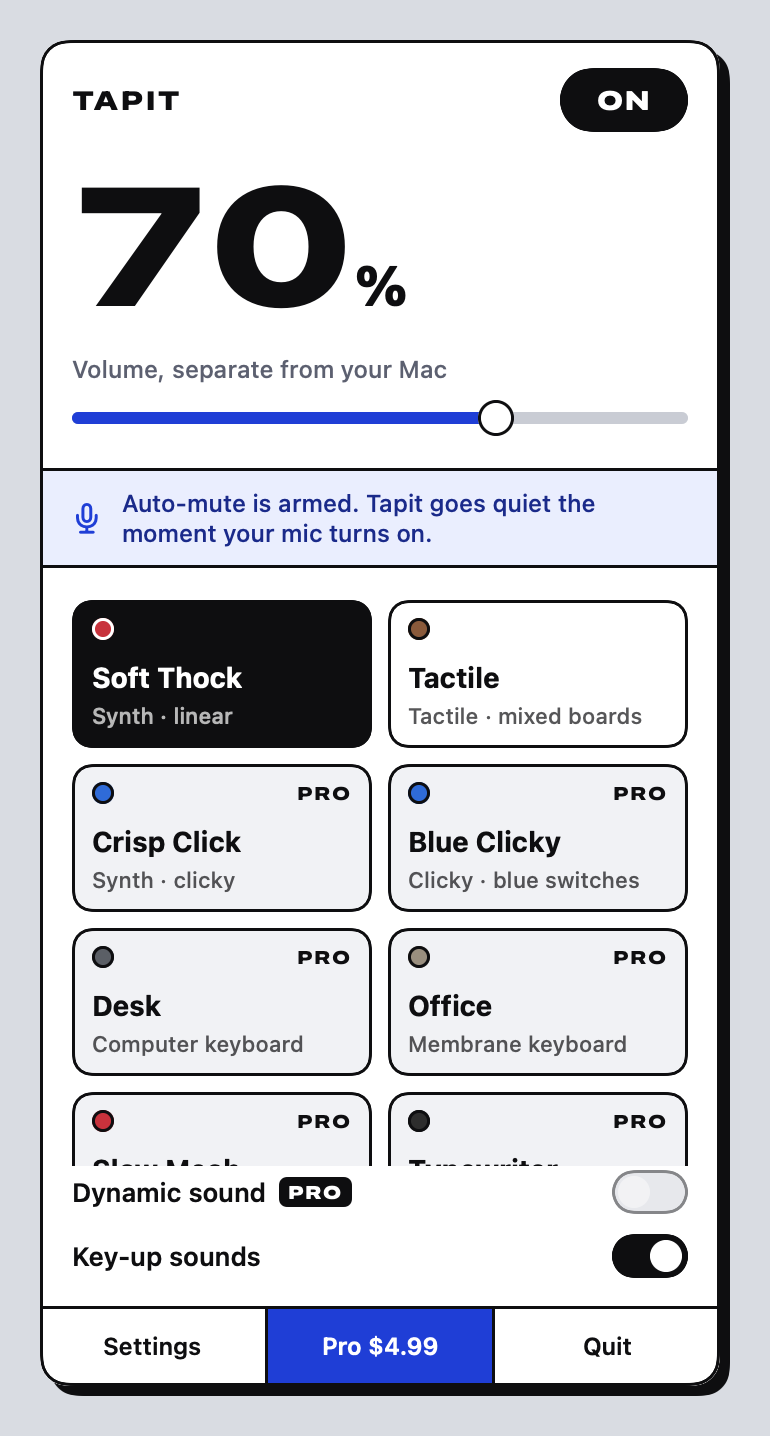
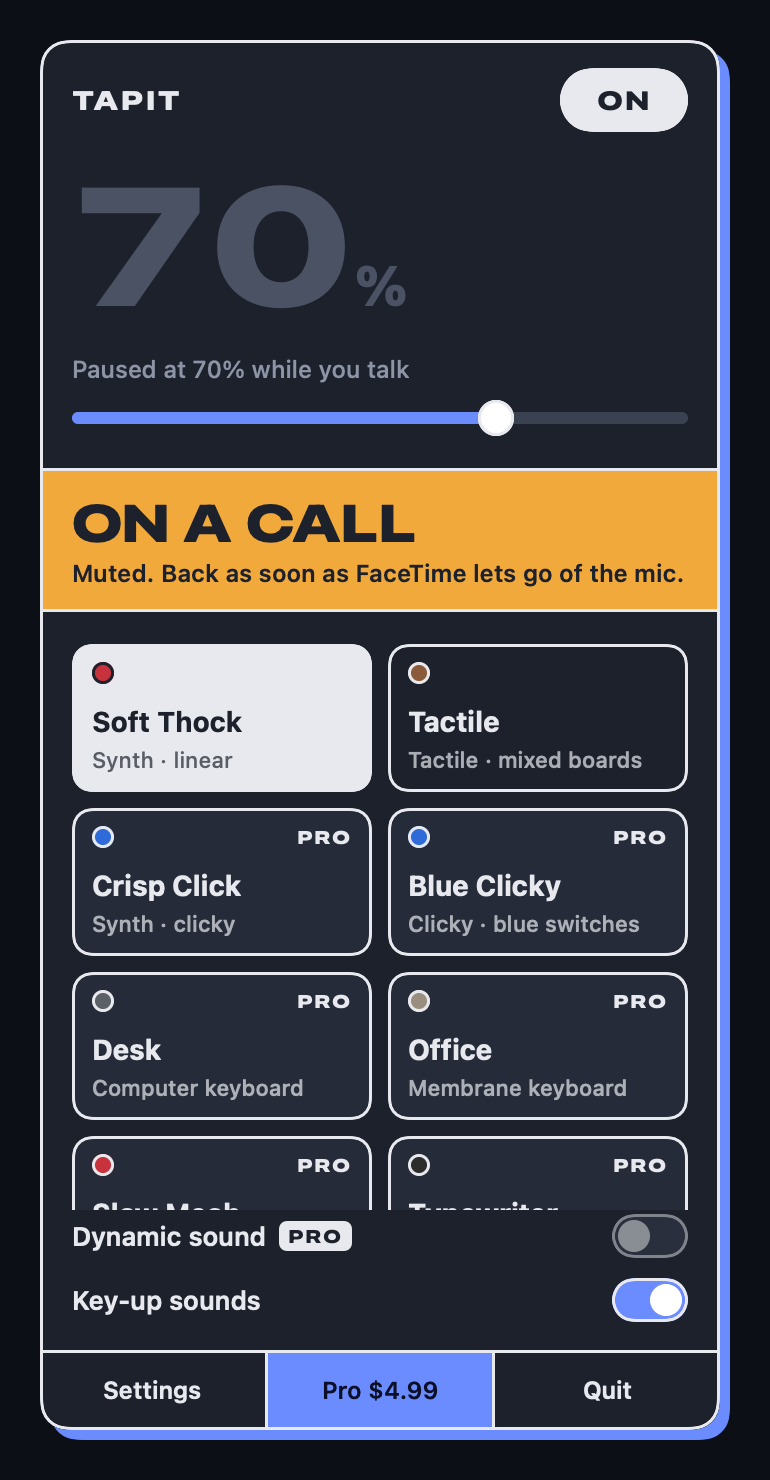
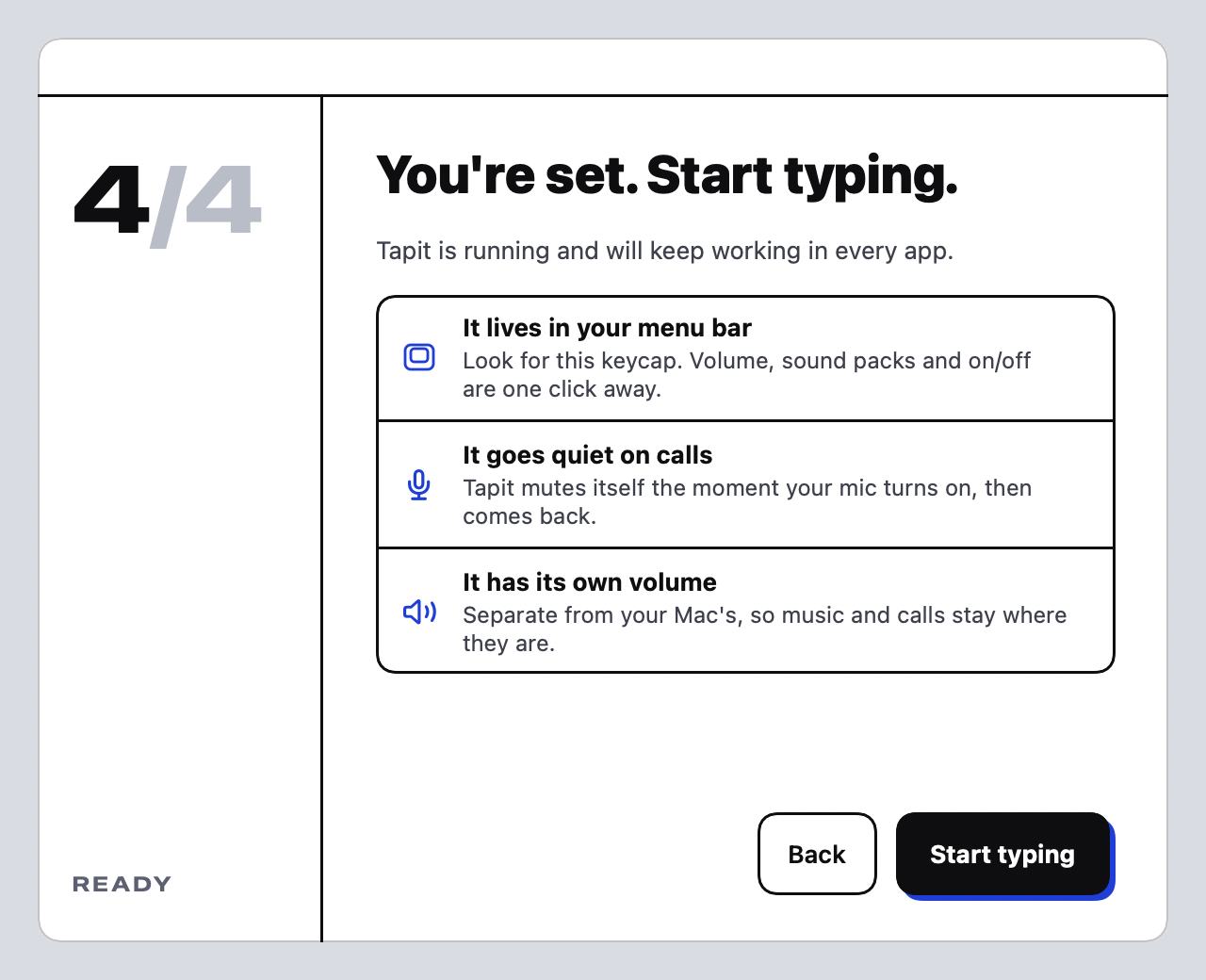
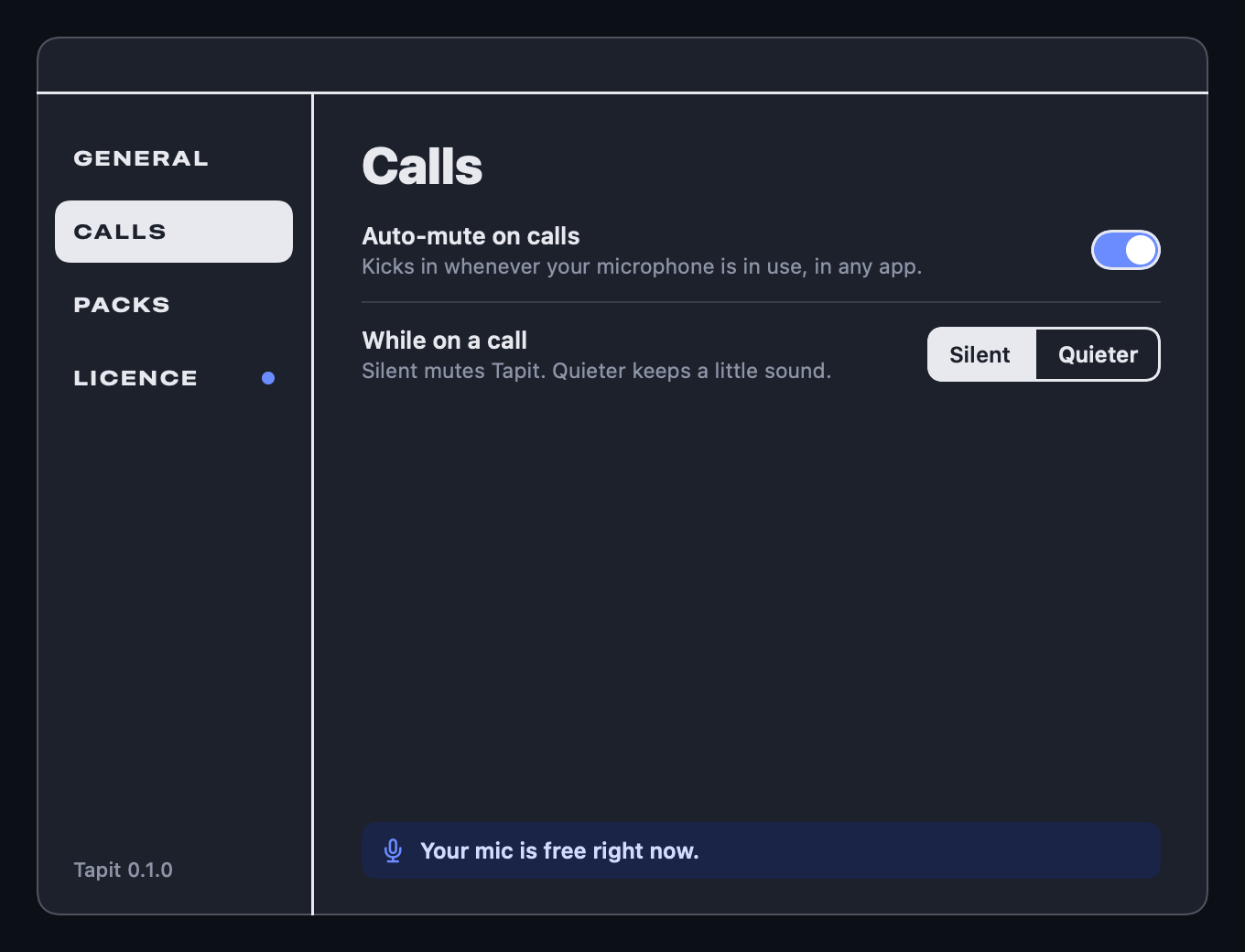
Rendered by the current build. The pack line-up may change before release.
Questions
Short answers.
When can I download it?
Not yet. Tapit is built and working, but it still needs signing with Apple so it opens on your Mac without a security warning. Email me and I'll tell you when it's out.
Does Tapit record what I type?
No. It only notices that a key went down so it can play a sound. It never stores, logs or sends what you type, and there is no account and no tracking.
What happens on a call?
When any app starts using your microphone, Tapit goes quiet. When the mic is released, the sound comes back. In settings you can choose quieter instead of silent, or turn auto-mute off.
Which Macs does it run on?
Any Mac on macOS 13 or later.
Is Pro a subscription?
No. Pro is $4.99, paid once.
Can I get a refund?
Yes, within 14 days of buying, no questions asked. See the refund policy.
Who makes it?
Tapit is made and sold by Alfie Rees. Write to hello@tapitsounds.com.